
 Join our Discord
# 🎒 KK-INVENTORY: The Ultimate All-in-One RedM Inventory
\
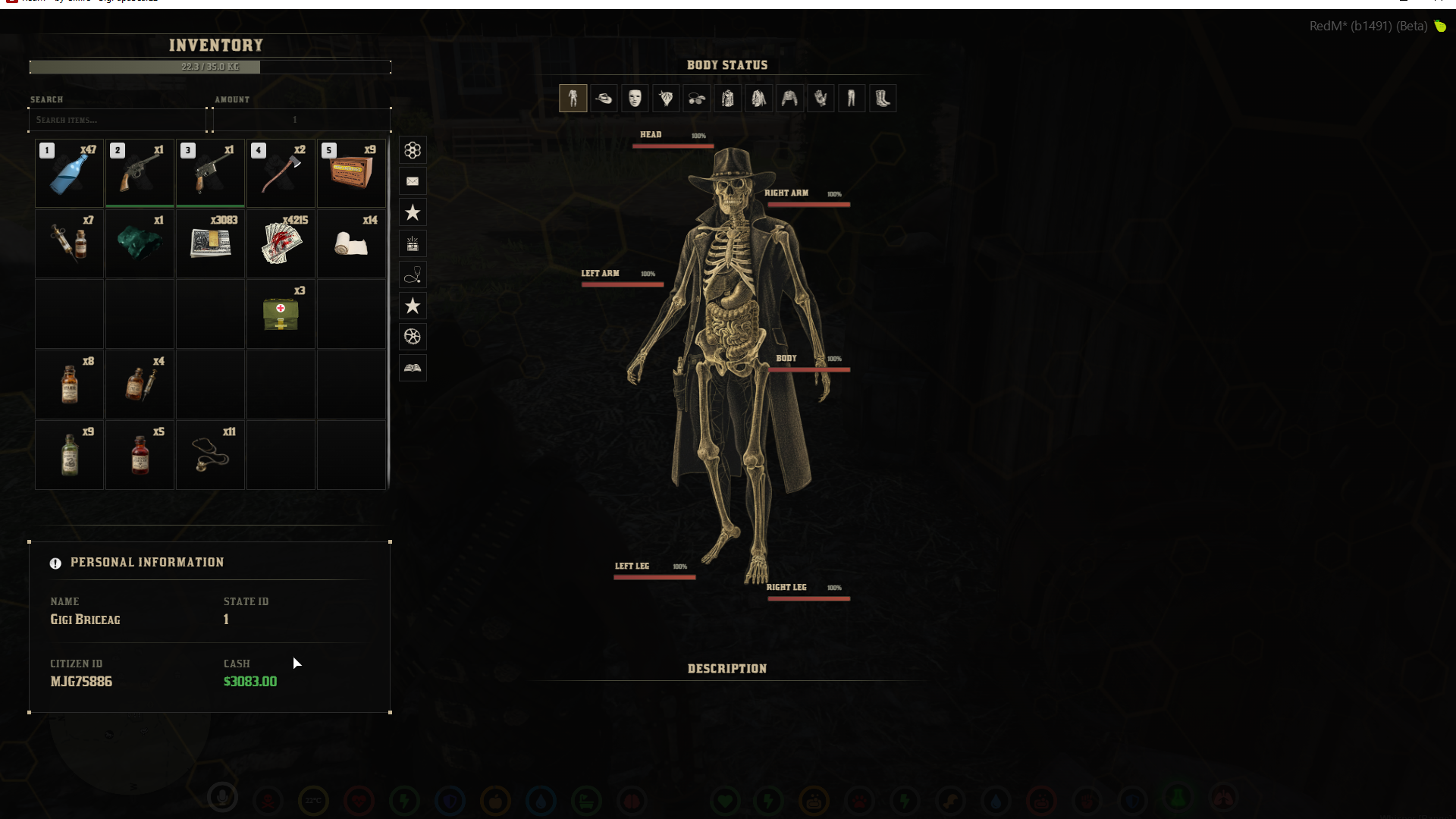
Welcome to **KK-INVENTORY**, the most advanced and immersive inventory solution ever built for the RSG Framework. This isn't just an inventory; it's a complete ecosystem combining looting, health tracking, a custom HUD, radial menus, and clothing management—all seamlessly integrated into one sleek UI.
## ✨ Key Features
This script completely overhauls the standard RedM experience by combining multiple essential scripts into one highly optimized package:
-
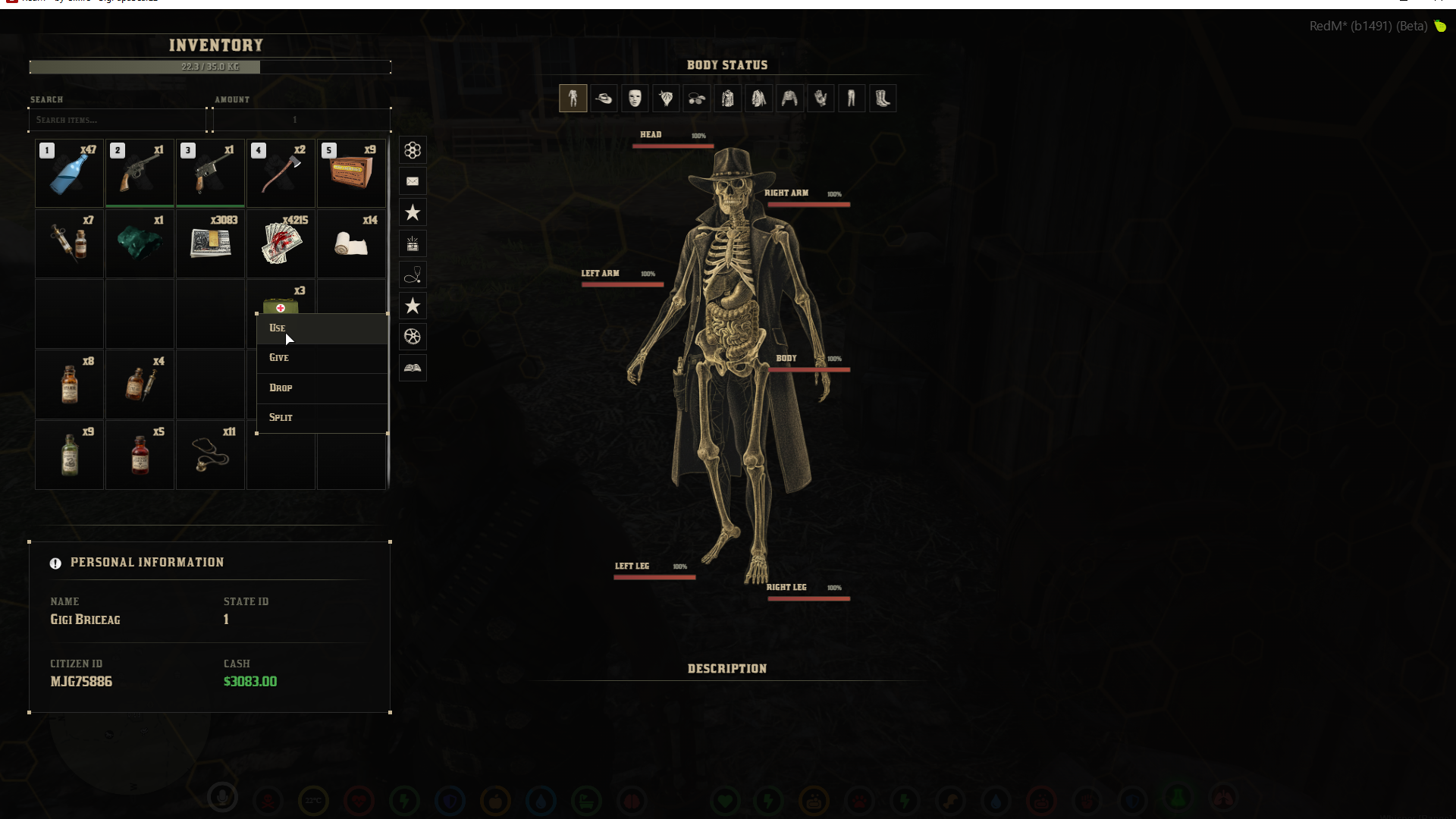
🎒 **Grid-Based Inventory**: Sleek, responsive drag-and-drop inventory with weight limits, item descriptions, and quick-access hotkeys (1-5).
-
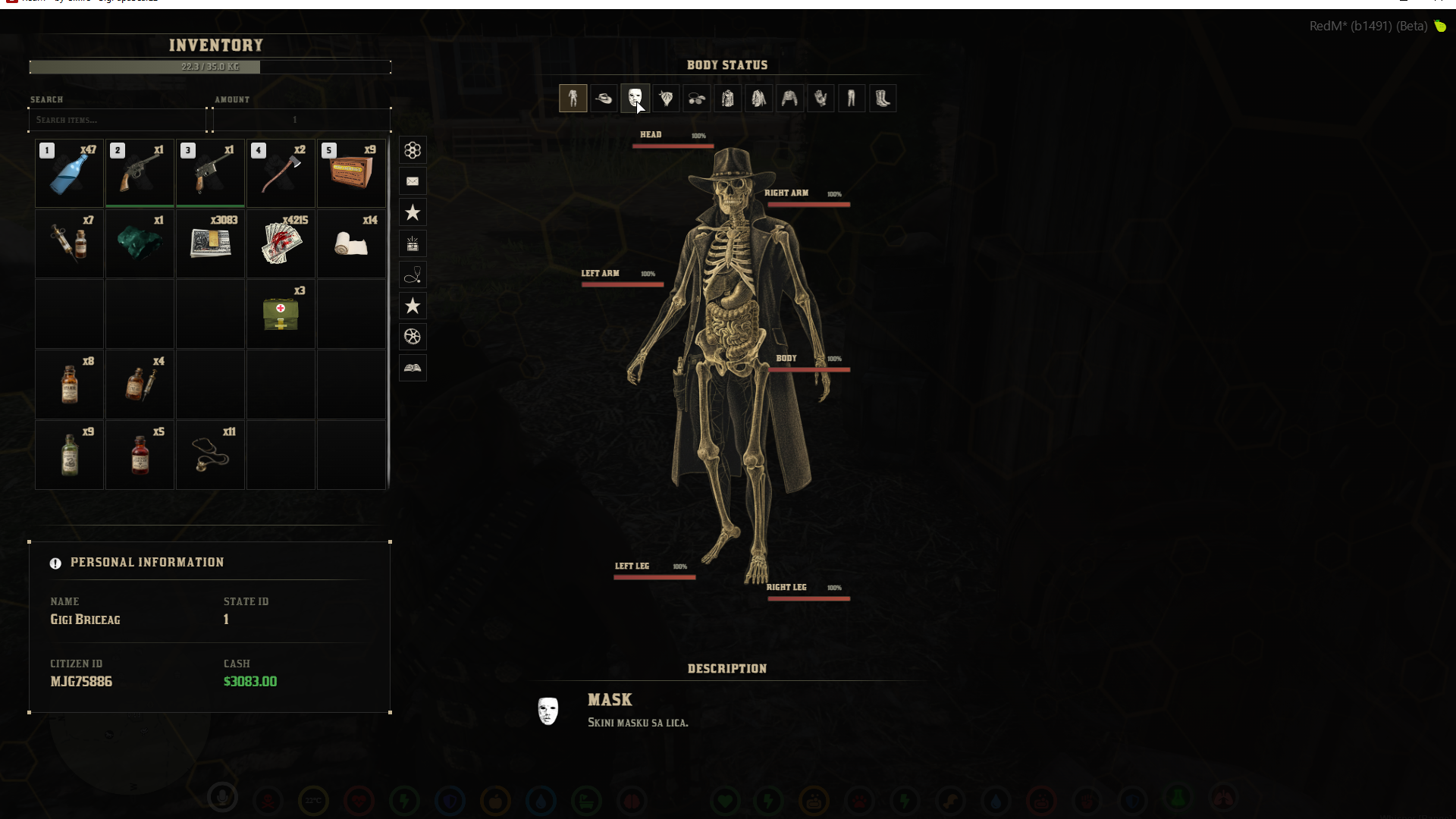
💀 **Advanced Skeleton Health System**: Real-time visual tracking of your character's body status. Monitor damage to specific limbs (Head, Arms, Torso, Legs) for in-depth medical RP.
-
🧥 **Integrated Clothing Management**: Change and manage clothing items (hats, masks, shirts, pants, boots) directly from the inventory screen.
-
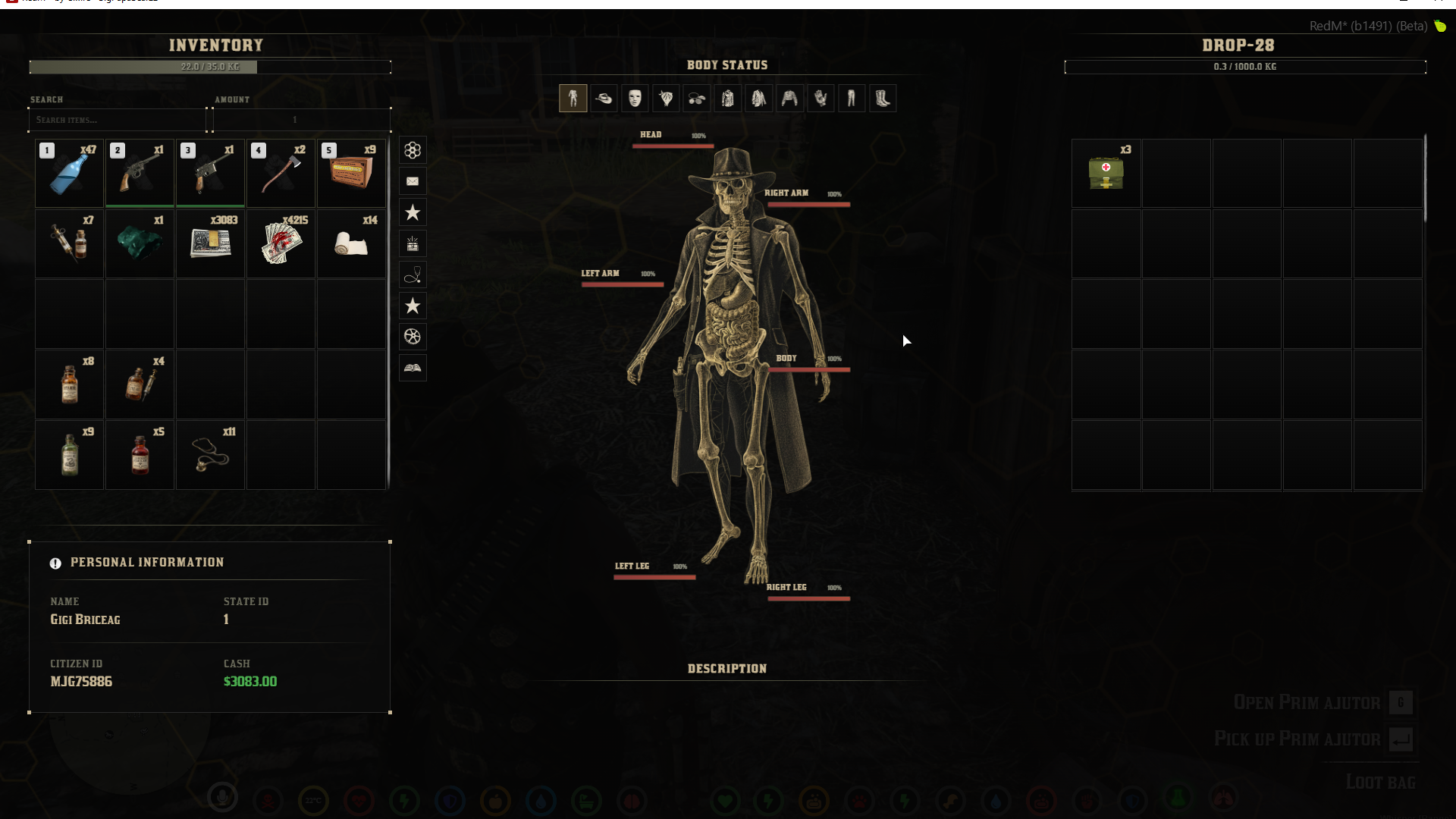
🪦 **Loot Dead Bodies**: Seamlessly loot items, cash, and weapons from dead players and NPC bodies.
-
🗑️ **Trash Scavenging**: Search nearby trash cans and bins to find hidden items or scrap materials.
-
🛠️ **Item Durability & Damage System**: Items and weapons have durability. Track degradation over time and implement repair mechanics.
-
📊 **Dynamic HUD System**: A built-in, clean HUD showing your health, stamina, and hunger/thirst cores—eliminating the need for a separate HUD script.
-
🎡 **Radial Menu Integration**: A highly customizable radial menu natively tied to the inventory for quick actions and item usage.
## 📋 Requirements
Ensure you have the following dependencies installed and running before starting the script:
-ox_lib
-oxmysql)
-rsg-core
## 🚀 Installation
1. Ensure the `KK-INVENTORY` folder is placed inside your `[framework]` directory.
2. Import any required `.sql` files into your database.
3. Make sure the following line is in your `server.cfg`:
```cfg
ensure KK-INVENTORY
```
4. Configure your settings in `config.lua` to adjust weight limits, loot tables for trash/bodies, and HUD preferences.
## ⚙️ Configuration (`config.lua`)
The script is highly customizable. You can adjust:
-
**Max Weight:** Change the default carrying capacity.
-
**Loot Tables:** Configure what items can be found when searching trash or looting NPCs.
-
**Durability Rates:** Set how fast items degrade when used.
-
**HUD Toggles:** Turn specific HUD elements on or off.
| Inventory & Skeleton UI | HUD & Radial Menu |
## 📝 Developer Notes & License
**Framework:** RSG Framework